Lay work and life out on a timeline and the whole picture clicks: what’s coming next, what’s running long, and — looking back — exactly how things unfolded.
Who it’s for
If it has dates, it fits on a timeline. A few of the people who get the most out of Timelines:
Lay out initiatives and roadmaps, track deadlines, and see what’s overdue across every workstream. Share a swimlane and keep the team on the same page.
Plan editorial calendars and campaigns. Lay content pipelines out as bars and drop posts onto the exact days they go live.
Give your notes a time dimension. Capture thoughts in the Inbox, place them on dates, and keep a Markdown outline of everything you track.
Chart story arcs, chapter beats and character timelines side by side. Keep plot threads on separate lanes and watch how they intersect in time.
Plan curricula, lesson schedules and cohort timelines. Lay a course out week by week and keep every module, assignment and deadline in view.
Health, events, travel, goals — anything with a date. Keep the big picture of your year on one zoomable canvas.
The model
Everything you create nests into a simple hierarchy — so a board can hold anything from a personal year to a multi-team roadmap without getting messy.
Top-level timelines like Work, Personal or Archive. Switch between them as tabs and reorder by dragging.
Horizontal rows inside a board — one per team, workstream or theme. Collapsible, colorable, and shareable on their own.
Bars span a date range (open-ended too); events (points) mark a single moment. Both stack freely within a lane.
Break a bar into phases with segments, and pin milestones on it with markers — each with its own color and notes.
The canvas
The heart of the app is a live canvas where time flows left to right. Zoom from a single month out to five years, scrub across dates, and always find your place.
Building blocks
Compose a timeline from a small, consistent set of pieces. Every item carries a title, a rich description and a color from the standard 10-color palette.
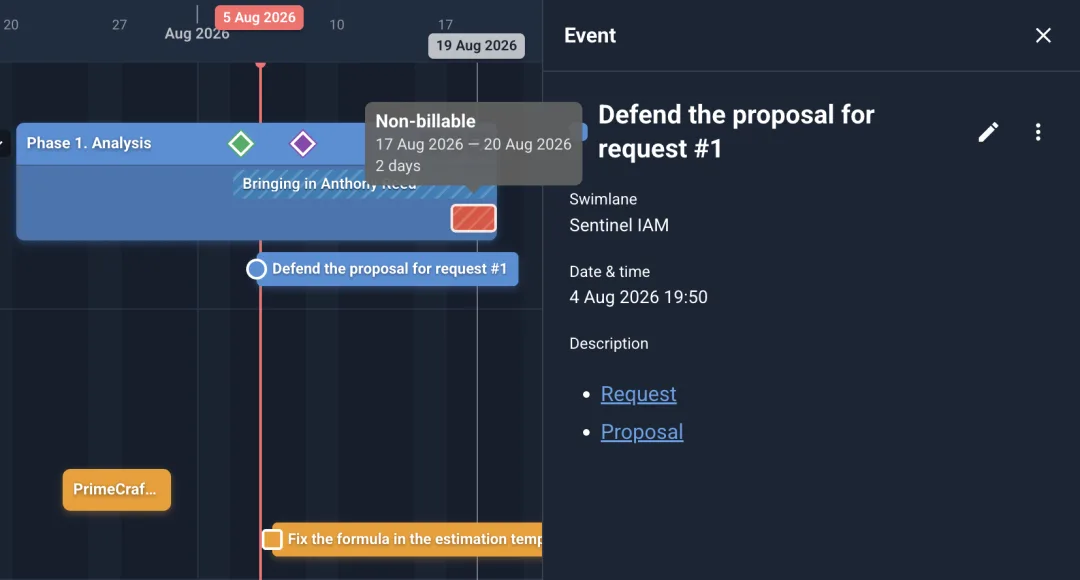
Tasks & deadlines
Mark an event or marker as a task and it becomes a checkbox you can resolve. The timeline keeps an eye on what’s slipping so nothing quietly falls behind.
Organize by dragging
Structure is never locked in. Grab anything and move it — the layout follows your hand, and the new order is saved for you.
Inbox
The Inbox is one always-there buffer for undated notes — the single place where something doesn’t need a date, a lane or a type yet. Jot it down in a second, then sort it out when you’re ready.
At-a-glance status
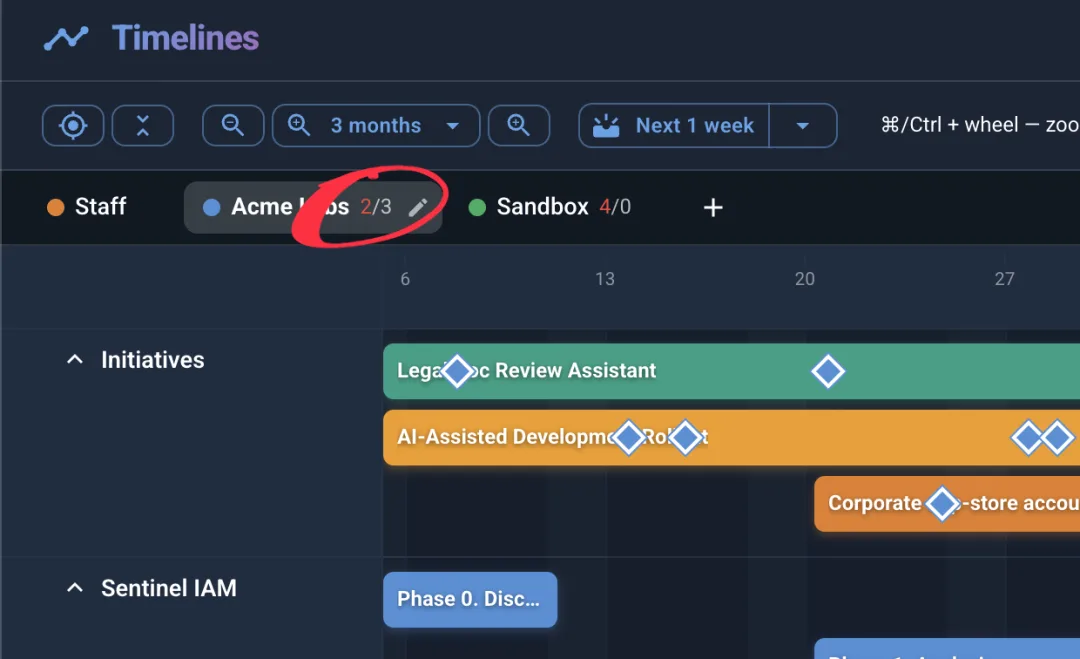
Every board tab carries a small badge: overdue tasks in red, upcoming events for your horizon. You can tell where attention is needed without opening a single board.
Outline view
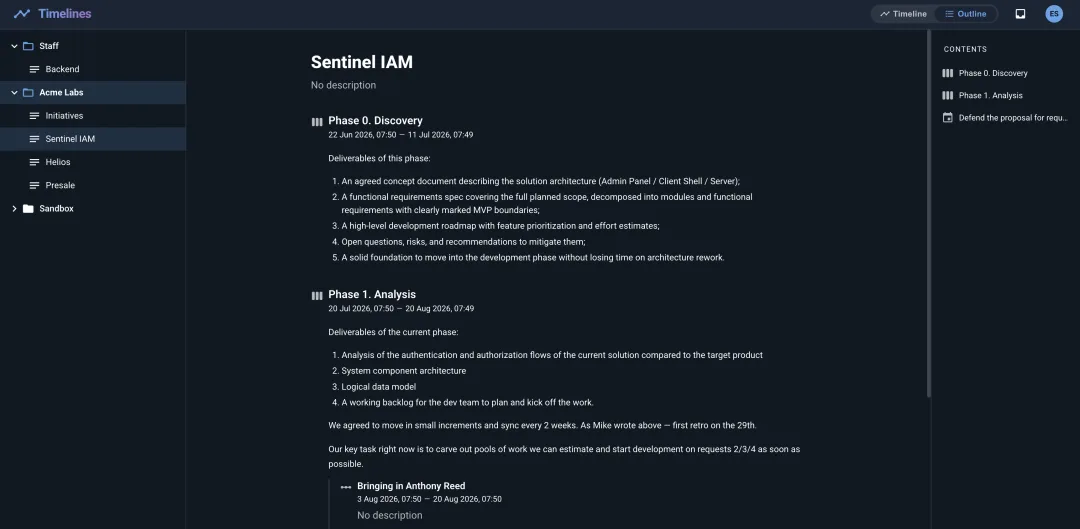
Prefer words to a canvas? Flip to the outline view for a hierarchical, document-like take on your swimlane — with a table of contents and everything editable in place.
Sharing & collaboration
Invite people to a single swimlane by email and pick exactly how much they can do. Shared lanes show up on a dedicated board for everyone they’re shared with.
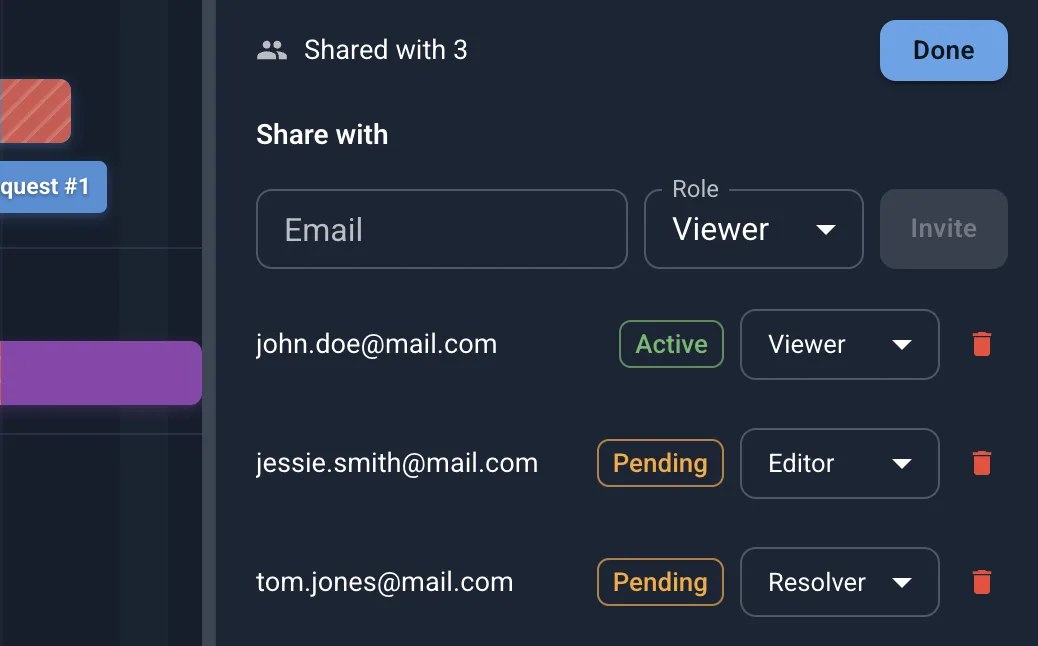
Each person gets one of three roles. Owners run the lane; the rest see a view tailored to what they’re allowed to change.
| Role | View content | Edit content | Manage sharing |
|---|---|---|---|
| Viewer | ✓ | — | — |
| Editor | ✓ | ✓ | — |
| Owner | ✓ | ✓ | ✓ |
And more
Small conveniences that add up — from how you sign in to how you get your data out.
Hide everything except what’s due in the window ahead, so you can focus on what’s next. Overdue tasks always stay in view.
A polished light theme and an easy-on-the-eyes dark theme, remembered per device.
Register with email and password (with email verification) or sign in with Google. Use the same address and the two link to one account.
Take everything with you — export all your boards and swimlanes as a single bundle, and import it back whenever you like.
Issue a personal API key to authenticate external integrations, then regenerate or revoke it on demand.
Write descriptions in Markdown — headings, lists, links and emphasis all render cleanly across both views.
Open the app and start with a board — add a swimlane, drop in a bar, and watch your schedule take shape. It’s completely free.
